
Yaumiyya documentation
Meeting intelligence for Dhivehi and English conversations.
Record or upload a meeting, correct the transcript, produce formal minutes, and follow every decision and action to the end. Everything here is shown on the real application, with one synthetic meeting throughout.
- Meeting
- Transcript
- Minutes
- Decisions
- Actions
0:00 / 0:33
Step-by-step, without the animation
Step 1 Upload a meeting recording
Step 2 Transcript and summary, by themselves
Step 3 Formal minutes, backed by what was said
Step 4 Follow-ups become tracked actions
Start here
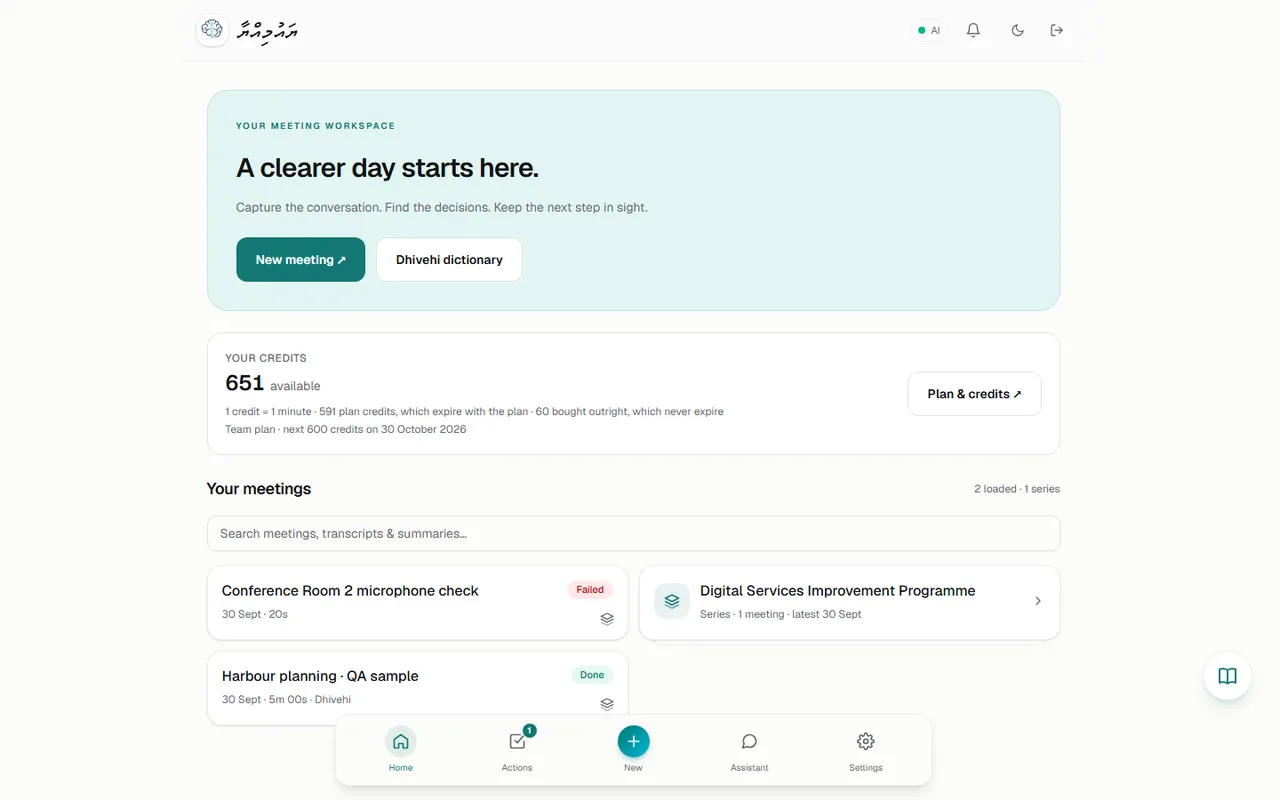 Getting startedYaumiyya records or receives a meeting's audio, transcribes it (Dhivehi, English or a mix), writes a short summary, and can then build formal minutes, a decision register and a list of actions…
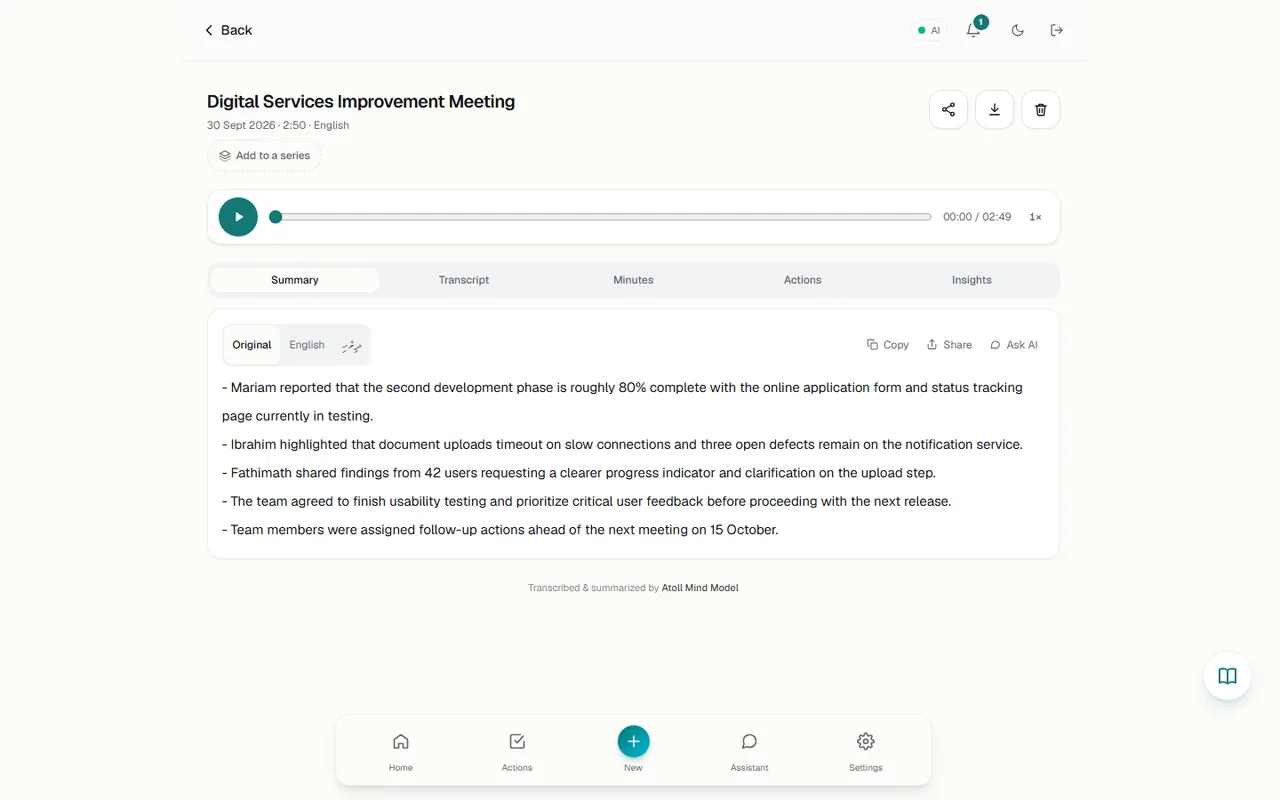 Complete meeting workflowThe same steps on the real app, in chapters: upload, transcript, minutes, actions, approval and follow-up. The waits for transcription and for the minutes are sped up.
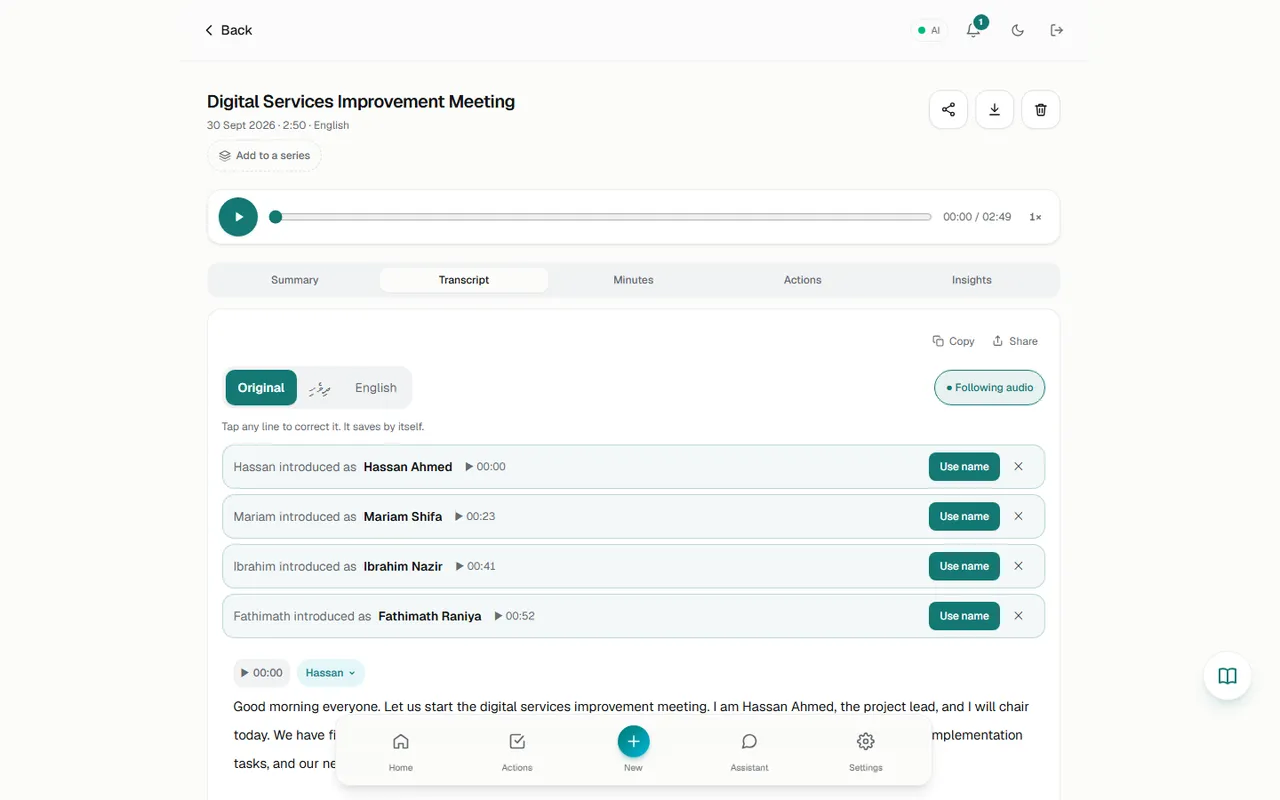 TranscriptionThe Transcript tab shows who said what, with timestamps. You can correct any line in place, name speakers, and accept names that people said about themselves in the recording.
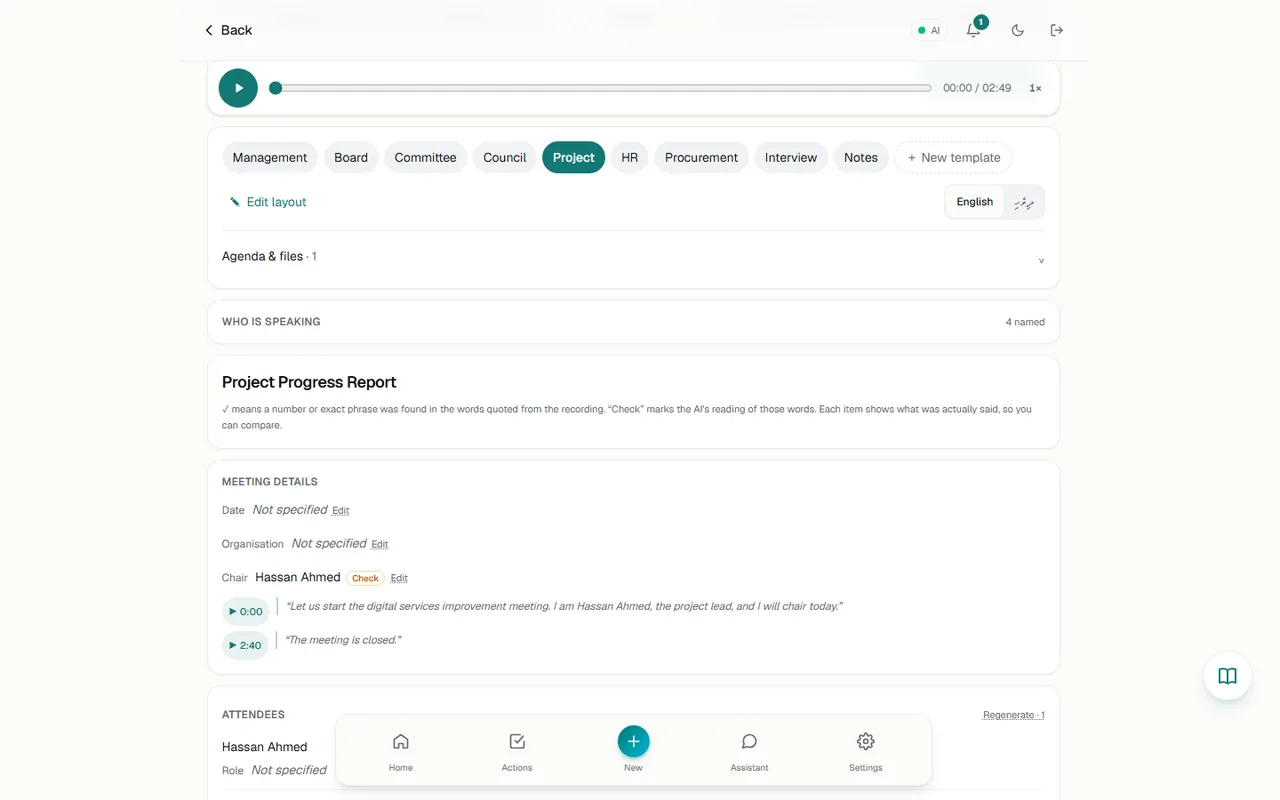 MinutesThe Minutes tab turns the transcript into a structured, formal document laid out by a template (Board, Committee, Project and others). Every item cites the words it came from. You can edit fields,…
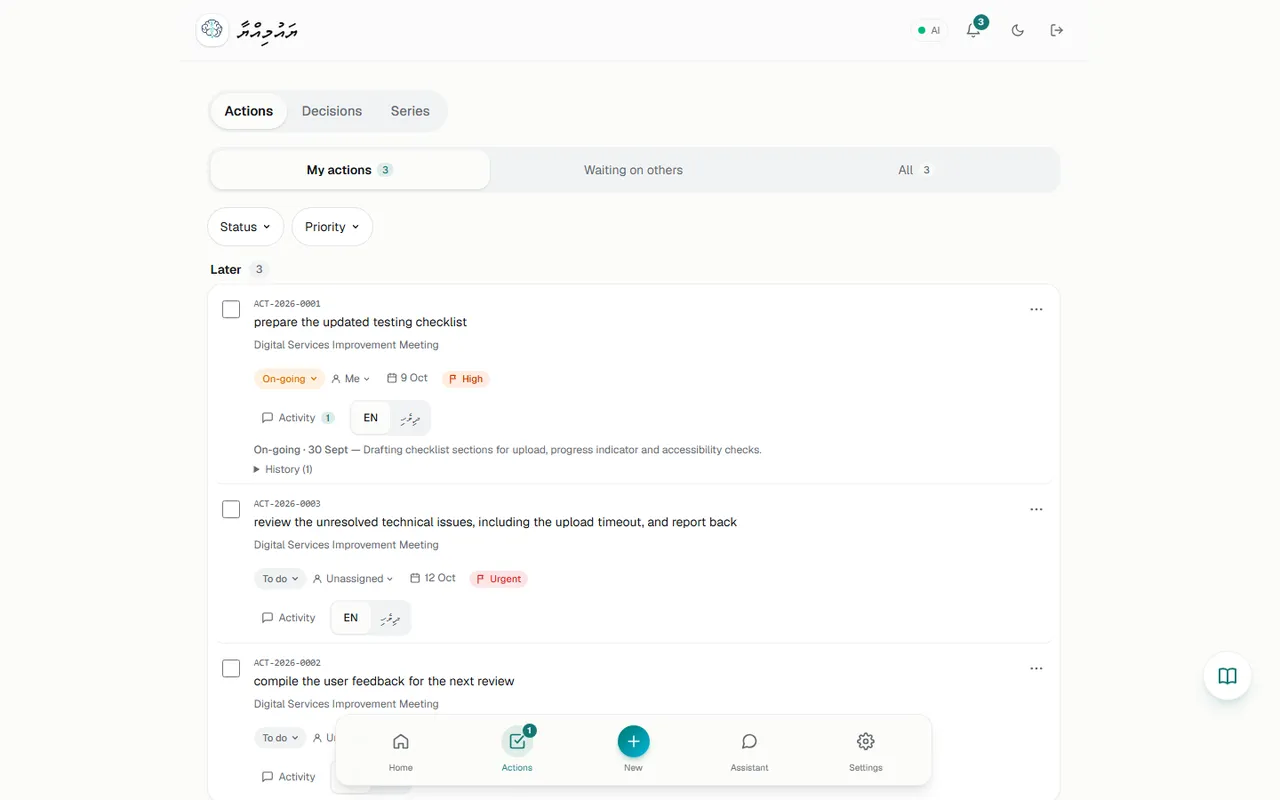 ActionsYaumiyya finds follow-ups in each meeting and proposes them as AI drafts. Nothing lands on anyone's list until the owner approves it. Approved actions get a reference number (ACT-YYYY-NNNN) and…
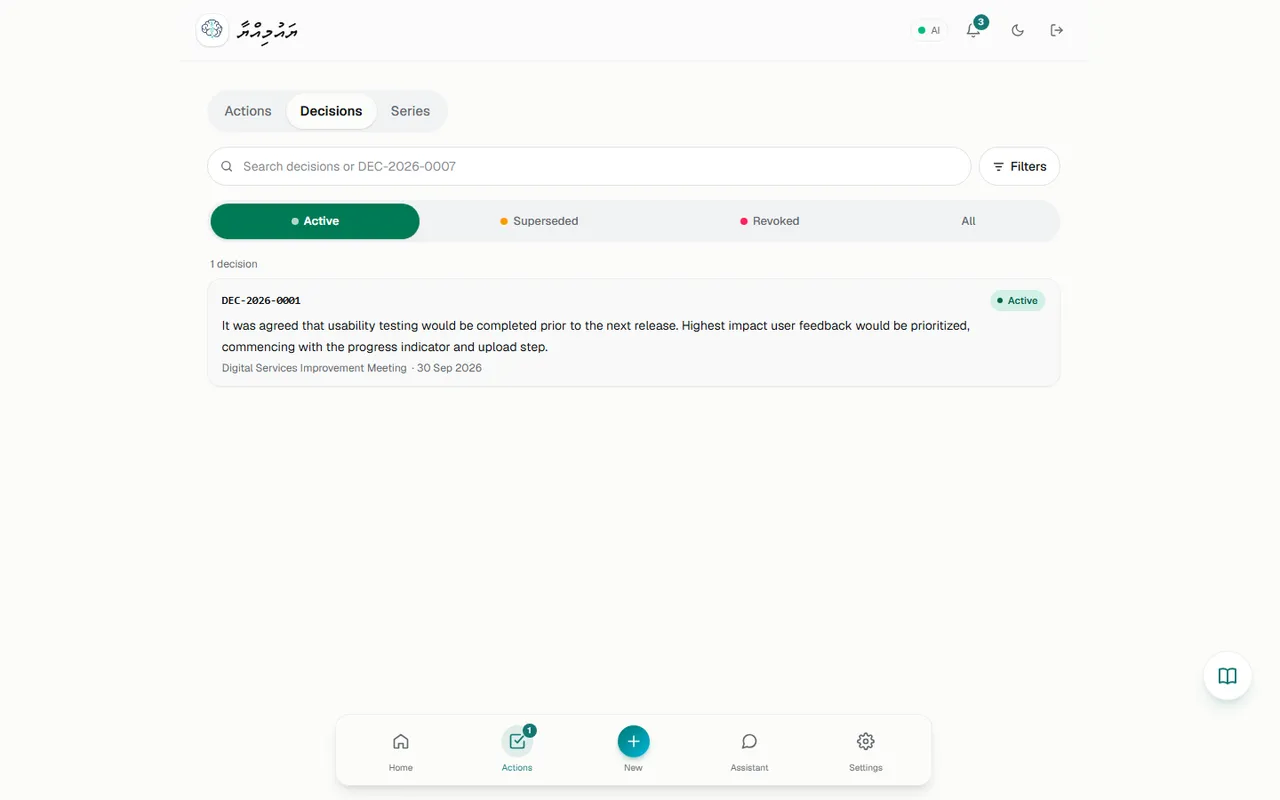 Decisions/decisions lists every decision recorded in your minutes, numbered DEC-YYYY-NNNN, with its status (Active, Superseded, Revoked) and a link back to the exact words in the transcript.
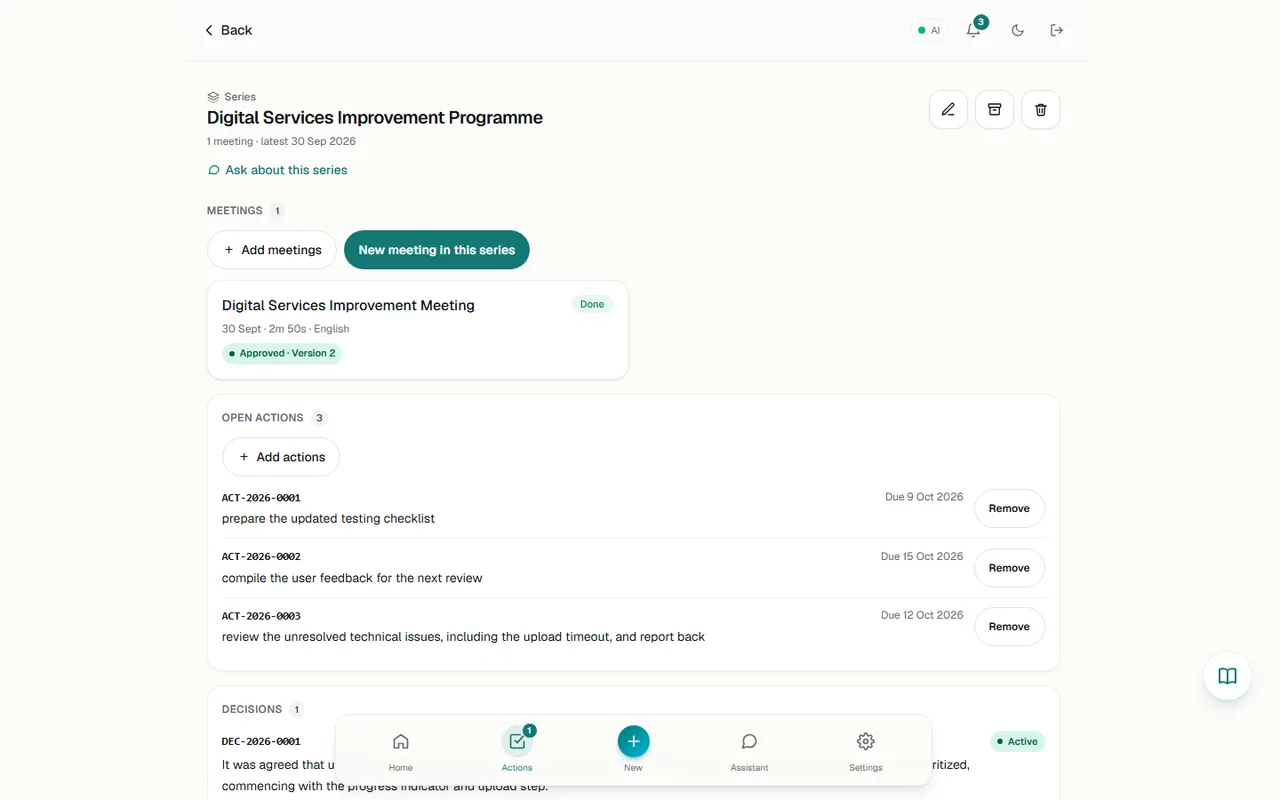 Meeting seriesA series groups the meetings of one body, such as a weekly ops meeting, a board or a committee. Each series has its meetings, the open actions you add to it, its decisions, an AI-generated next…
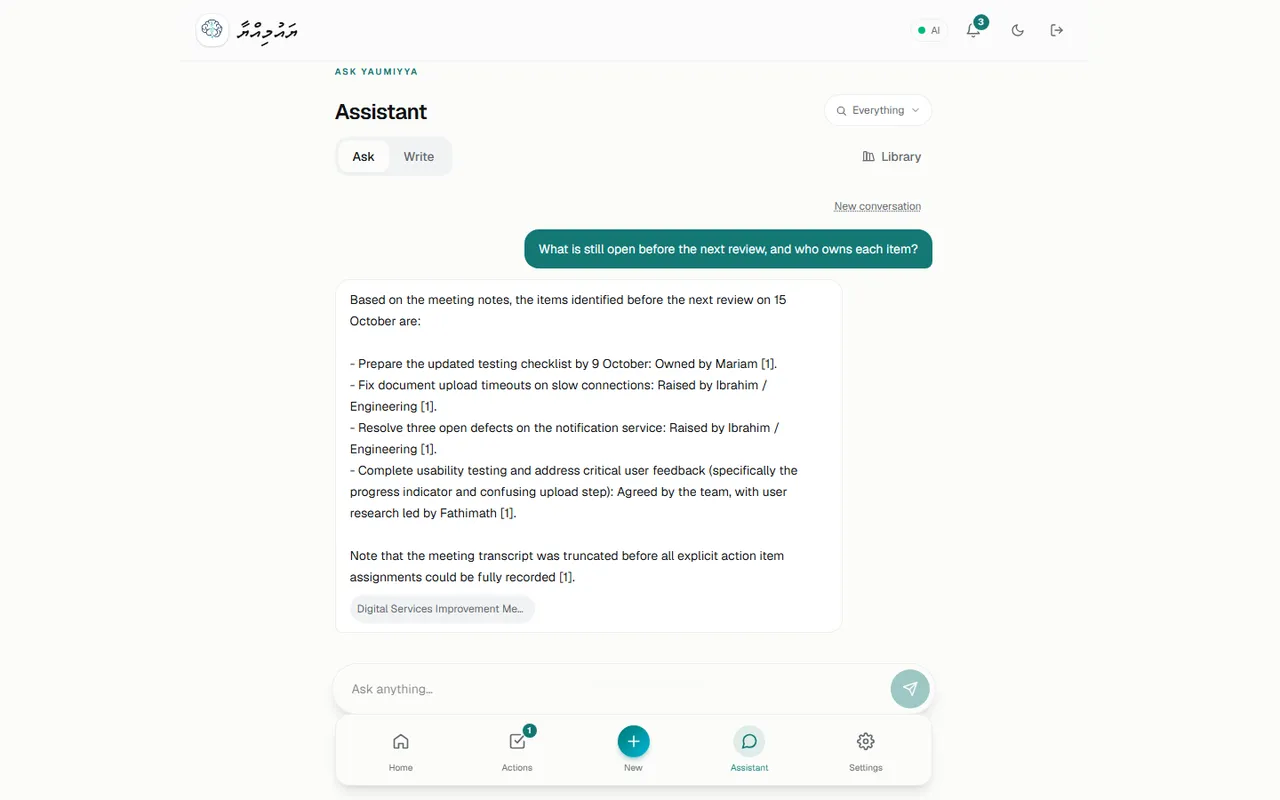 Ask YaumiyyaAsk Yaumiyya (/assistant) answers questions from your meetings and Library documents, with numbered citations. Write (/assistant?mode=write) drafts a formal letter or email in Dhivehi or English,…
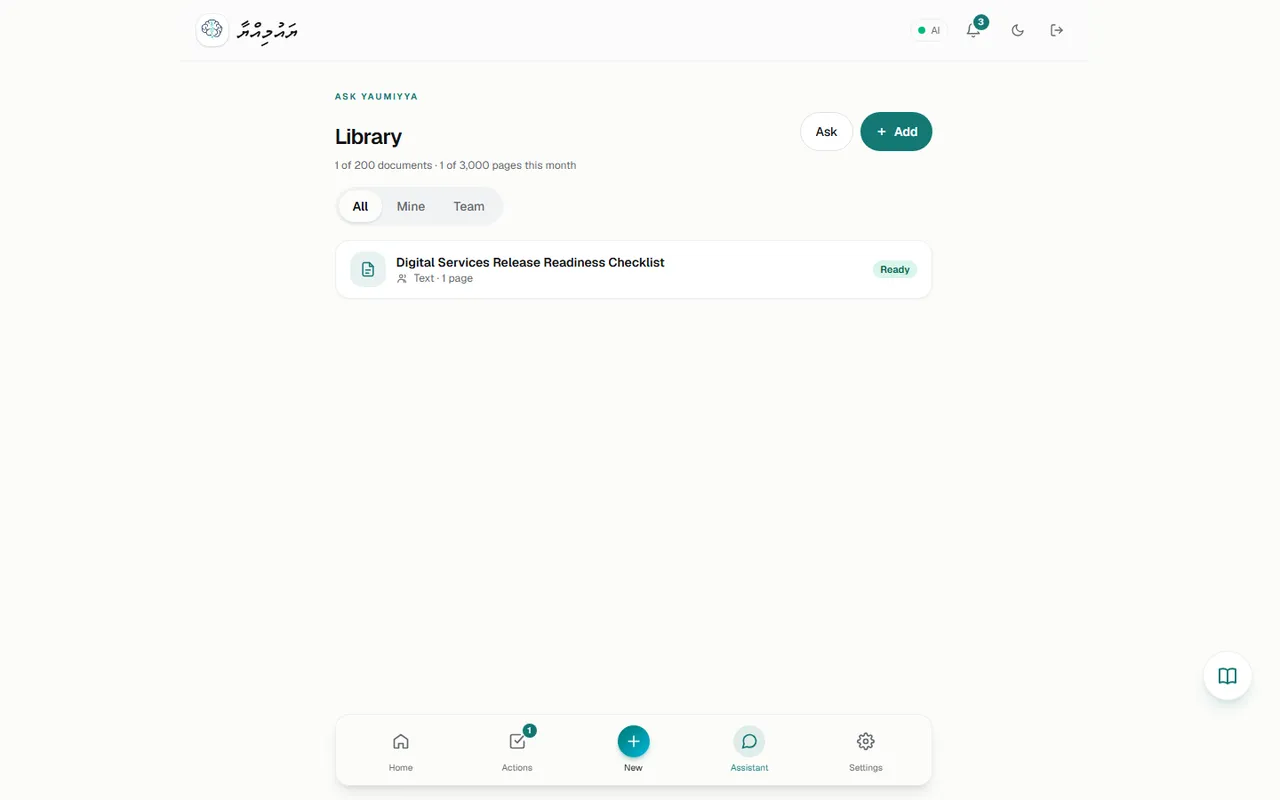 LibraryThe Library (/library) holds reference documents (policies, manuals, reports) that the Assistant can answer from. Documents can be private (Only me) or shared with My team.
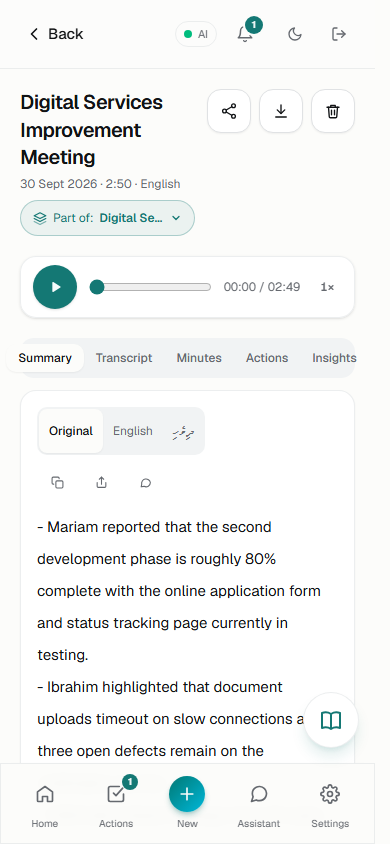 MobileThe application is fully responsive. At 390 × 844 no page scrolled sideways (page width 375 px within a 390 px window on every page checked). The bottom navigation stays at the bottom and dialogs…
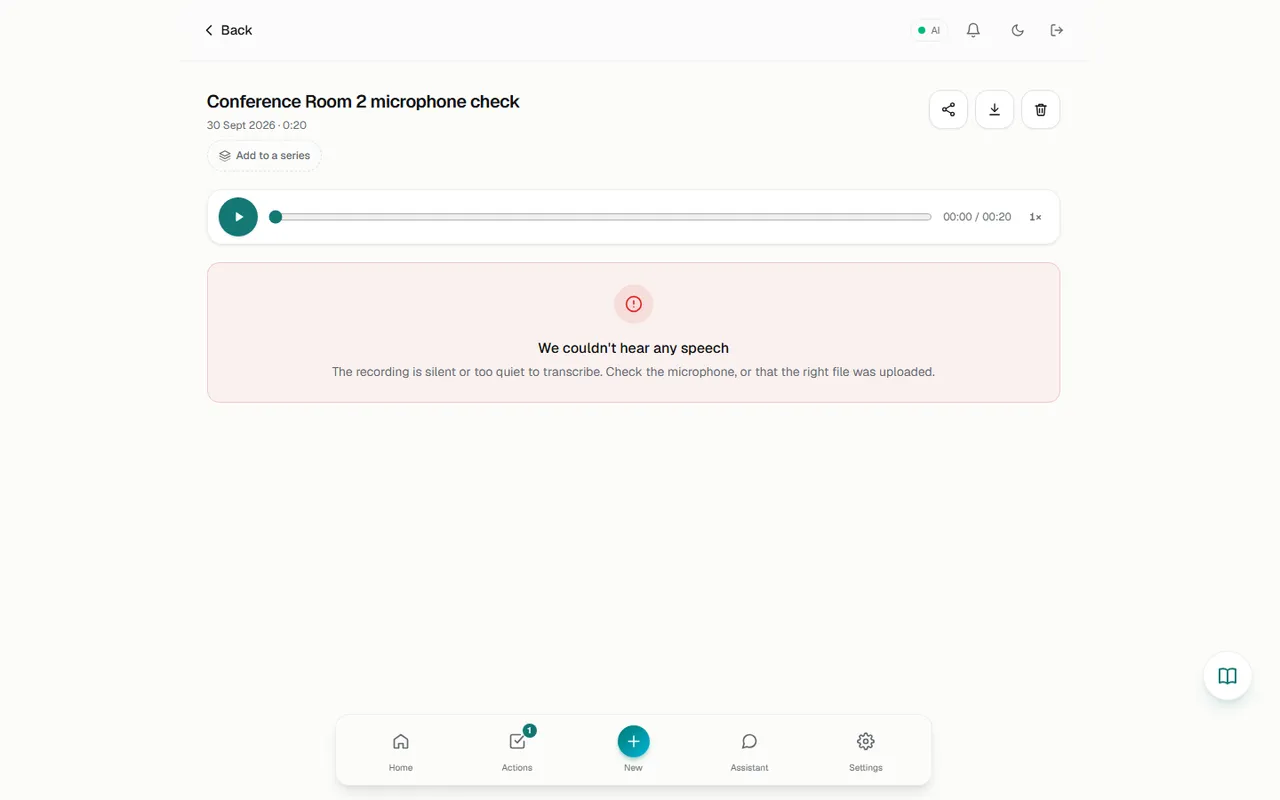 TroubleshootingEach entry is based on behaviour observed in this run (Observed) or clearly implemented in the source (Code).
Everything in the documentation
Getting started
Workflows
- Workflow 1: From recording to approved minutes
- Workflow 2: Review and correct a transcript
- Workflow 3: Approve and track actions
- Workflow 4: Run a recurring meeting as a series
- Workflow 5: Ask questions and draft follow-ups
- Workflow 6: Build a knowledge Library
- Workflow 7: Invite a team member
- Workflow 8: Handle a failed recording
- Workflow 9: Renew a plan or buy credits
Features
- Home (dashboard)
- New meeting: record, capture, upload, join online
- Smart Audio Prep ("Clean up audio")
- Processing & failures
- Meeting page: summary, insights, share, download
- Transcript & speakers
- Formal minutes
- Minutes approval
- Actions: the meeting Actions tab and the Action Centre
- Decision Register
- Series
- Assistant: Ask & Write
- Library (knowledge hub)
- Dhivehi dictionary
- Notifications
- Settings & team members
- Analytics
- Plans, credits & payment
- Mobile layout
- Public site, sign-in & invitations
- Admin console (NOT VERIFIED IN UI)